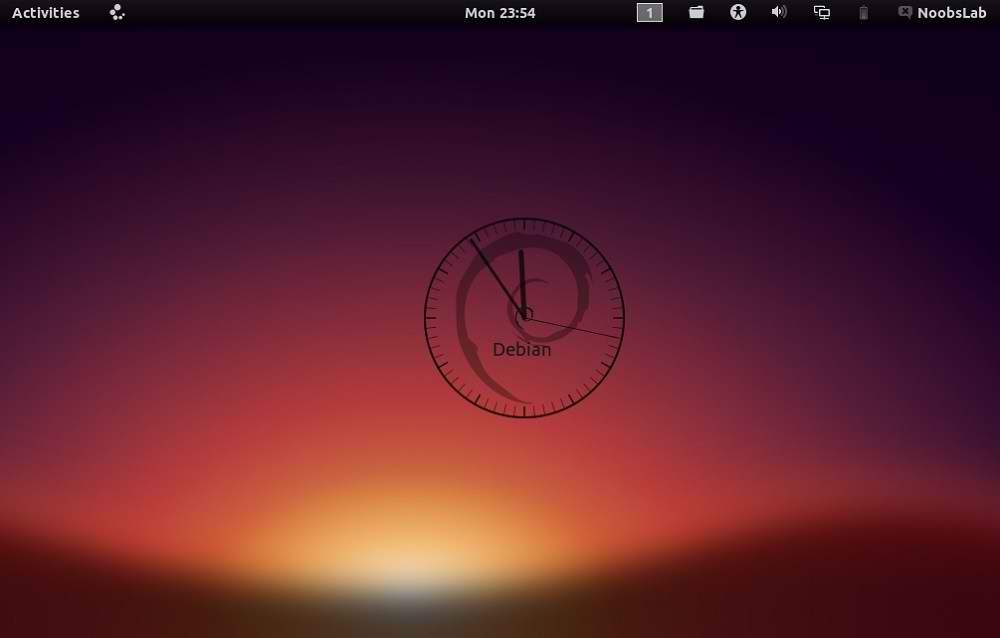
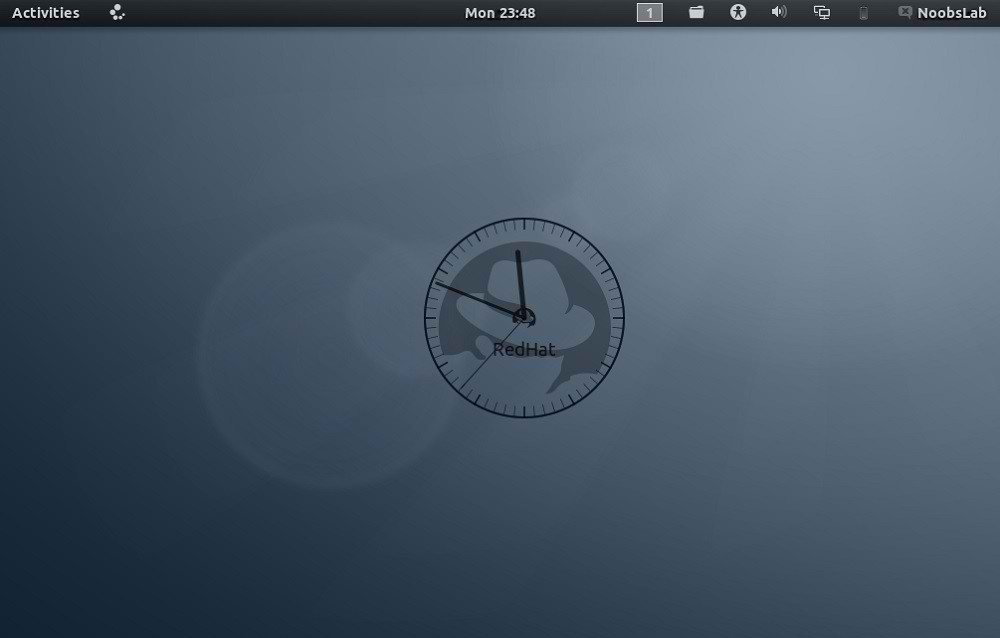
Ubuntu-nsClock Conky make by
Laabiyad Abderrahim,
It looks awesome on desktop. This conky was only available with Ubuntu
logo but NoobsLab made available logo Mint, Linux, Fedora, Red-hat
Gentoo, open-SUSE Debian, and Arch. It is available for all desktop
environments like Gnome Shell, Unity, Cinnamon, and others. It shows
Distribution logo and current PC time as Analogue clock. Also checkout
conky collection.
Install Conky in Ubuntu/Linux Mint open terminal (Press Ctrl+Alt+T) and copy the following commands in the Terminal:
- sudo apt-get install conky conky-all
First of all Download Startup script with following commands:
- cd && wget -O .start-conky http://goo.gl/6RrEw
- chmod +x .start-conky
Now open Startup Applications > click Add > New Dialog box will open click on Browse > Now (Press
Ctrl+H) see following screenshot.
Note: This Conky Widget won't work in Ubuntu 12.10/13.04/Linux Mint 14
1: Ubuntu Clock Conky
To install Ubuntu-clock-conky in Ubuntu/Mint open Terminal (Press Ctrl+Alt+T) and copy the following commands in the Terminal:
>> For (Gnome Shell, Cinnamon)
- cd && wget -O ubuntu-noobslab-gs.zip http://goo.gl/625cJ
- unzip ubuntu-noobslab-gs.zip && rm ubuntu-noobslab-gs.zip
>> For (Unity, Gnome Classic, Mate, and Others)
- cd && wget -O ubuntu-noobslab-u.zip http://goo.gl/60oSk
- unzip ubuntu-noobslab-u.zip && rm ubuntu-noobslab-u.zip
2: Linux Clock Conky
To install Linux-clock-conky in Ubuntu/Mint open Terminal (Press Ctrl+Alt+T) and copy the following commands in the Terminal:
>> For (Gnome Shell, Cinnamon)
- cd && wget -O linux-noobslab-gs.zip http://goo.gl/1Io6z
- unzip linux-noobslab-gs && rm linux-noobslab-gs
>> For (Unity, Gnome Classic, Mate, and Others)
- cd && wget -O linux-noobslab-u.zip http://goo.gl/5coFn
- unzip linux-noobslab-u.zip && rm linux-noobslab-u.zip
3: Debian Clock Conky
To install Debian-clock-conky in Ubuntu/Mint open Terminal (Press Ctrl+Alt+T) and copy the following commands in the Terminal:
>> For (Gnome Shell, Cinnamon)
- cd && wget -O debian-noobslab-gs.zip http://goo.gl/St6y2
- unzip debian-noobslab-gs.zip && rm debian-noobslab-gs.zip
>> For (Unity, Gnome Classic, Mate, and Others)
- cd && wget -O debian-noobslab-u.zip http://goo.gl/X3ro2
- unzip debian-noobslab-u.zip && rm debian-noobslab-u.zip
4: Linux Mint Clock Conky
To install Linux-Mint-clock-conky in Ubuntu/Mint open Terminal (Press Ctrl+Alt+T) and copy the following commands in the Terminal:
>> For (Gnome Shell, Cinnamon)
- cd && wget -O mint-noobslab-gs.zip http://goo.gl/fHhTv
- unzip mint-noobslab-gs.zip && rm mint-noobslab-gs.zip
>> For (Unity, Gnome Classic, Mate, and Others)
- cd && wget -O mint-noobslab-u.zip http://goo.gl/G1rBO
- unzip mint-noobslab-u.zip && rm mint-noobslab-u.zip
5: Fedora Clock Conky
To install Fedora-clock-conky in Ubuntu/Mint open Terminal (Press Ctrl+Alt+T) and copy the following commands in the Terminal:
>> For (Gnome Shell, Cinnamon)
- cd && wget -O fedora-noobslab-gs.zip http://goo.gl/Sskvl
- unzip fedora-noobslab-gs.zip && rm fedora-noobslab-gs.zip
>> For (Unity, Gnome Classic, Mate, and Others)
- cd && wget -O fedora-noobslab-u.zip http://goo.gl/C3ZHl
- unzip fedora-noobslab-u.zip && rm fedora-noobslab-u.zip
6: Arch Clock Conky
To install Arch-clock-conky in Ubuntu/Mint open Terminal (Press Ctrl+Alt+T) and copy the following commands in the Terminal:
>> For (Gnome Shell, Cinnamon)
- cd && wget -O arch-noobslab-gs.zip http://goo.gl/Zx6Bj
- unzip arch-noobslab-gs.zip && rm arch-noobslab-gs.zip
>> For (Unity, Gnome Classic, Mate, and Others)
- cd && wget -O arch-noobslab-u.zip http://goo.gl/xmD9T
- unzip arch-noobslab-u.zip && rm arch-noobslab-u.zip
7: Gentoo Clock Conky
To install Gentoo-clock-conky in Ubuntu/Mint open Terminal (Press Ctrl+Alt+T) and copy the following commands in the Terminal:
>> For (Gnome Shell, Cinnamon)
- cd && wget -O gentoo-noobslab-gs.zip http://goo.gl/GluyG
- unzip gentoo-noobslab-gs.zip && rm gentoo-noobslab-gs.zip
>> For (Unity, Gnome Classic, Mate, and Others)
- cd && wget -O gentoo-noobslab-u.zip http://goo.gl/3S2wu
- unzip gentoo-noobslab-u.zip && rm gentoo-noobslab-u.zip
8: openSUSE Clock Conky
To install openSUSE-clock-conky in Ubuntu/Mint open Terminal (Press Ctrl+Alt+T) and copy the following commands in the Terminal:
>> For (Gnome Shell, Cinnamon)
- cd && wget -O opensuse-noobslab-gs.zip http://goo.gl/HwdQn
- unzip opensuse-noobslab-gs.zip && rm opensuse-noobslab-gs.zip
>> For (Unity, Gnome Classic, Mate, and Others)
- cd && wget -O opensuse-noobslab-u.zip http://goo.gl/C2jmr
- unzip opensuse-noobslab-u.zip && rm opensuse-noobslab-u.zip
9: RedHat Clock Conky
To install RedHat-clock-conky in Ubuntu/Mint open Terminal (Press Ctrl+Alt+T) and copy the following commands in the Terminal:
>> For (Gnome Shell, Cinnamon)
- cd && wget -O redhat-noobslab-gs.zip http://goo.gl/5blN8
- unzip redhat-noobslab-gs.zip && rm redhat-noobslab-gs.zip
>> For (Unity, Gnome Classic, Mate, and Others)
- cd && wget -O redhat-noobslab-u.zip http://goo.gl/ETQ77
- unzip redhat-noobslab-u.zip && rm redhat-noobslab-u.zip
That's it, Enjoy
Source:
noobslab