Showing posts with label Kubuntu. Show all posts

Thursday, January 24, 2013

Netrunner 12.12.1


Clemens Toennies has released an updated build of Netrunner, a Kubuntu-based distribution with KDE 4.9.4: "Netrunner 'Dryland' 12.12.1 has been released. KDE updated to 4.9.4 from Kubuntu backports; Firefox updated to 18; VLC updated to 2.0.5; Tomahawk new version 0.6; WINE updated to 1.5.22; Samba Mounter updated to 0.3.1; Webaccounts updated 0.3; Veromixer installed; Runners-ID upgraded from 1 to 5 GB free cloud space; many more fixed issues and improvements. The version is based on Kubuntu 12.10 and has the following features: GNU/Linux OS kernel 3.5; Firefox 18 with KDE integration; Thunderbird 17.0.1; LibreOffice 3.6.2; Skype 4.1; GIMP 2.8; Krita, Gwenview, Kdenlive, Telepathy Messenger, Samba Mounter (easy NAS setup), Webaccounts (social accounts integration), Runners-ID (free and libre cloud storage and music streaming), Muon Discover, VirtualBox." Here is the brief release announcement. Download (MD5): netrunner-12.12.1-amd64.iso (1,530MB, torrent).

Friday, December 7, 2012

Kubuntu 13.04 Alpha 1


Stéphane Graber has announced the availability of the first alpha release of Kubuntu 13.04: "The first alpha of the 'Raring Ringtail' (to become 13.04) has now been released. This alpha features images for Edubuntu and Kubuntu. At the end of the 12.10 development cycle, the Ubuntu flavour decided that it would reduce the number of milestone images going forward and the focus would concentrate on daily quality and fortnightly testing rounds known as cadence testing. Based on that change, the Ubuntu product itself will not have an Alpha-1 release. Its first milestone release will be the final beta release on the 28th of March 2013. Other Ubuntu flavours have the option to release using the usual milestone schedule." See the release announcement and release notes for further information. Download (SHA256): raring-desktop-i386.iso (972MB, torrent), raring-desktop-amd64.iso (954MB, torrent). Alpha 1 images for Edubuntu 13.04 (download, release notes) are also available.

Thursday, November 8, 2012

KDE 4.9.3 Released! Run and Install it on Kubuntu


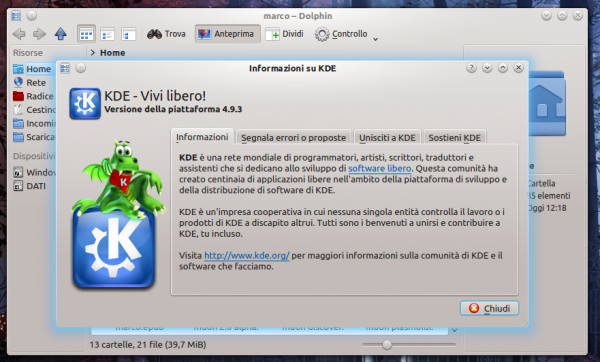
KDE 4.9.3 has been released and is also available from a few hours in the Kubuntu PPA . We begin first by new in this version: 4.9.3 KDE basically introduces no new features but focuses only on bug fixes and translation updates , a safe and pleasant update for everyone. The list of fixes 86 include improvements editor Kate and Kontact , so it is mostly a series of updates regarding the applications. The official announcement, for those interested, can be found at this address .

Installing KDE 4.9.3 on Kubuntu

First I want to clarify that the PPA is currently only updated for Kubuntu 12.10 even if, in the next few days, it could be updated to Kubuntu 12.04! All you have to do to install KDE 4.9.3 is to open the terminal and type:
sudo add-apt-repository ppa: kubuntu-ppa/ppa
sudo apt-get update sudo apt-get
dist-upgrade
And you will end, after the reboot, KDE updated to version 4.9.3

Friday, October 19, 2012

Kubuntu 12.10


Following the release of Ubuntu 12.10 earlier today, Kubuntu 12.10 is the brand-new version of the project's Linux distribution showcasing the latest KDE desktop: "The Kubuntu community is proud to announce the release of 12.10, the Quantal Quetzal. This is the first release to burst free from the limits of CD sizes giving us some more space for goodies on the image. It also does away with the alternate installer images, adding advanced partitioning options to the desktop image. Built on Ubuntu's core and polished with KDE's applications and workspaces, Kubuntu 12.10 is a grand example of friendly, fast and beautiful software." See the full release announcement and read through the detailed release notes to learn more. Download (SHA256): kubuntu-12.10-desktop-i386.iso (953MB, torrent), kubuntu-12.10-desktop-amd64.iso (934MB, torrent).

Wednesday, September 26, 2012

How To Easily Mount ISO Images From Right-Click Menu On Kubuntu 12.04 (KDE 4)


In this tutorial we will see how to use the context menu (right-click menu) to mount iso images without the need to use the terminal or third-party software under Kubuntu 12.04.

Getting Started

Open Konsole and run the following commands:

wget -c http://goo.gl/Ogkf8 -O mount-iso.desktop

sudo mv mount-iso.desktop /usr/share/kde4/services/ServiceMenus/

Right-click now any iso file, then head to the Actions entry to be able to mount it:


Select a folder where you want to mount your image file:


Finally, submit your user password to mount the iso file.

Wednesday, August 15, 2012

How To Install VirtualBox Guest Additions From CLI Under Ubuntu 12.04/Linux Mint 13 (Guest OS)


 If you find difficulties installing guest additions via the VM "Devices" menu, you can easily follow this tutorial which will help you use the command line under Ubuntu/Linux Mint running as guest to install VirtualBox "Guest Additions", which is a set of tools and system applications that allow the user to copy/paste between host and guest, enable full screen resolution, and it also includes device drivers (graphics card, keyboard, wireless cards, etc.) to ensure better usability and performance for the guest OS.

The tutorial is workable for Ubuntu 12.10/12.04/11.10 or older (applicable also for Ubuntu derivatives such as Kubuntu, Xubuntu, etc.), and any Ubunu-based system like Linux Mint 13/12 or older. Open the terminal and install VirtualBox guest additions with these commands:

sudo apt-get install virtualbox-guest-additions

sudo apt-get install virtualbox-guest-dkms virtualbox-guest-x11 virtualbox-guest-utils

After installing all packages mentioned above, restart the virtual machine to enable guest additions.

Monday, August 6, 2012

Run "apt-get update" and "apt-get upgrade" In One Command Under Ubuntu/Linux Mint


In this tutorial, we will see two methods that will allow us to combine two frequently used terminal commands in a single command under a system running Ubuntu/Linux Mint. We will help you run "apt-get update" and "apt-get upgrade" with one command called "update", which will be easier to write and will save you time.

Method 1

Open the terminal (CTRL+ALT+T) and run this command:

 > ~/.bash_aliases; gedit ~/.bash_aliases

For Linux Mint, run this command:

 > ~/.bash_aliases; pluma ~/.bash_aliases

Add now these lines:

alias update='sudo apt-get update; sudo apt-get upgrade'


Save your file and close it, then restart your terminal by closing and opening it again. You can now run two commands using this one:

update

Method 2

Open the terminal and run this command:

sudo gedit /usr/local/bin/update

For Linux Mint, run this command:

sudo pluma /usr/local/bin/update

Add now this line:

sudo apt-get update; sudo apt-get upgrade


Save your file and exit, then give execution permission to this file with this command:

sudo chmod +x /usr/local/bin/update

Run now this command to test your script:

update

I hope you find this tip useful!

Friday, July 27, 2012

Kubuntu 12.10 Alpha 3 Has Rekonq 1.0


Canonical released today, July 26th, the third Alpha version of the upcoming Kubuntu 12.10 (Quantal Quetzal) operating system.

Kubuntu 12.10 Alpha 3 (Quantal Quetzal) packs quite a few important changes, among which we can mention:

• OwnCloud was updated to the latest version;
• Digikam 2.7 has been added in order to offer better photo handling for users;
• Rekonq 1.0 web browser has been added to Kubuntu;
• Users can now import calendar and contact information from their Facebook account, with the Facebook resources function in Kontact;
• Users can now import calendar and contact information from their Google account, with the Google resources function in Kontact.


Download Kubuntu 12.10 Alpha 3

Wednesday, July 25, 2012

Project Neon KVM Officially Launched


Project Neon is an initiative that helps users get daily builds of KDE modules for Kubuntu, but now The Project Neon team has developed another one, called Project Neon KVM Image.

If Project Neon was for people that were using Kubuntu, Project Neon KVM is aimed at people that are using a Linux distribution other than Kubuntu or a non-Linux operating system.

According to the developers, “without disturbing the host environment, Project Neon KVM can be used to test new KDE releases, to try out new features, or to develop something entirely new”.

Users will need 2GB of RAM to run the images and, alternatively, ubuntu-vm/run.sh in the tarball can be edited to allocate less memory to the KVM.

The Project Neon team is on Freenode IRC at #project-neon. Mailing list information and archive are available at https://launchpad.net/~neon.

Friday, June 29, 2012

Kubuntu 12.10 Alpha 2 Screenshot Tour


Canonical released today, June 28th, the second Alpha version of the upcoming Kubuntu 12.10 (Quantal Quetzal)8 operating system.

Dubbed Quantal Quetzal, Kubuntu 12.10 Alpha 2 is powered by Linux kernel 3.5 and is built on top of the KDE Software Compilation 4.9 Beta 2 desktop environment.

The second Alpha of Kubuntu 12.10 (Quantal Quetzal) is distributed as Live DVD/USB (Desktop and Alternate) ISO images for the 32-bit, 64-bit and PowerPC architectures.

Enjoy the screenshot tour of Kubuntu 12.10 (Quantal Quetzal) Alpha 2, and also take a look at the Ubuntu 12.10 Alpha 2 screenshot tour and our in-depth announcement.


Download Kubuntu 12.10 Alpha 2

Thursday, June 21, 2012

Netrunner 4.2


Clemens Toennies has announced the release of Netrunner 4.2, a Kubuntu-based distribution providing the very latest KDE 4.8.3 desktop: "Netrunner 4.2 'Dryland' - second edition released. These are some of the new features: KDE 4.8.3; Firefox KDE integration, GIMP 2.8 and Skype 4.0; Samba Mounter for easy NAS setup; web accounts for integrating your social accounts; Runners ID for free and libre cloud storage and music streaming; Muon Discover. Since this is a hybrid ISO, you can for example use UNetbootin or imagewriter for putting Netrunner on a USB stick. For 64-bit machines with EFI you may experience a crash during installation when trying to install the bootloader, it is advised to use imagewriter, as it does use another bootloader, which makes the ISO install fine." See the release announcement and release notes for more information. Download (MD5): netrunner-4.2-i386.iso (1,608MB, torrent), netrunner-4.2-amd64.iso (1,342MB, torrent).