Showing posts with label Debian. Show all posts

Sunday, December 20, 2020

Q4OS 3.13


 The Q4OS team have published a new update to their distribution's Debian-based desktop operating system. The project's new release updates the Q4OS 3.x series, bringing it up to date with Debian's Stable branch. For this release Canonical's Snap framework has been removed, though it can be installed from the project's software repositories. "An update to Q4OS 3 Centaurus LTS has been released. The new 3.13 Series receives the recent Debian Buster 10.7 update, updated Debian stable kernel, important security and bug fixes, and several specific Q4OS enhancements. Canonical's Snap daemon and related dependencies have been removed from the Q4OS desktop profiles, however they're still available in the default repositories. A few printing specific bugs has been patched and a new driver installer for Hewlett-Packard printers and scanners has been included in the Software center. In addition to the above, Q4OS 3.13 brings other enhancements, such as improved Calamares installer and a cumulative upgrade covering all changes from the previous stable Q4OS 3 Centaurus release." The distribution's blog offers additional information. The project provides two editions, one with the KDE Plasma desktop and the other with the Trinity desktop environment (TDE). Download (MD5, pkglist): q4os-3.13-x64.r1.iso (897MB), q4os-3.13-x64-tde.r1.iso (697MB).

Monday, November 23, 2020

Kali Linux 2020.4

 Kali Linux is a Debian-based distribution with a collection of security and forensics tools. The project's latest release, Kali Linux 2020.4, makes zsh the default command line shell, introduces new users to resources at login, and adjusts the bash shell to appear more like zsh. "In our previous quarterly release, 2020.3, we gave a heads up that we will be switching from Bash to zsh as our default shell going forwards (where possible). We are happy to announce that after testing and feedback from users, the switch has now happened. Say hello to to zsh. Thank you to everyone who provided positive and constructive feedback. We are happy with it, and hope you are too. With that said, we know we cannot please everyone with it (so if you wish to revert back to Bash, please do: 'chsh -s /bin/bash')." Further details along with screenshots of the new bash shell style can be found in the distribution's release announcement. Download (SHA256) (pkglist): kali-linux-2020.4-live-amd64.iso (3,354MB, torrent), kali-linux-2020.4-installer-netinst-amd64.iso (471MB, torrent).


Monday, November 16, 2020

PrimTux 6


 PrimTux is a French Debian and Ubuntu-based distribution developed by a small team of school teachers and computer enthusiasts for educational environments. The project's latest release, PrimTux 6, is available in both Debian (32-bit) and Ubuntu (64-bit) editions. An English translation of the release announcement (in French) reads: "PrimTux6 is available in two editions: an edition based on Ubuntu and intended for recent computers and an edition based on Debian 'Buster', intended for older computers, to meet its vocation of upgrading computers for educational purposes. Whichever edition you use, PrimTux is designed to be extremely lightweight. Version 6 continues to build on what makes the strength of the distribution: student environments adapted to the different cycles of primary education, protected from bad handling; a selection of quality educational software adapted to the different ages of schooling; secure Internet browsing thanks to CTparental, which provides filtering since version 5, and to the Qwant junior search engine." Download (MD5, pkglist): PrimTux6-Debian10.6-i386-2020-11-11.hybrid.iso (3,580MB), PrimTux6-Ubuntu20.04-1-amd64-2020-11-11.iso (3,195MB).

Wednesday, November 11, 2020

MX Linux 19.3


MX Linux, a desktop-oriented Linux distribution with a choice of Xfce or KDE Plasma and based on Debian's latest stable release, has been updated to version 19.3: "We are pleased to offer MX Linux 19.3 for your use. MX Linux 19.3 is the third refresh of our MX 19 release, consisting of bug fixes and application updates since our original release of MX 19. If you are already running MX 19, there is no need to re-install. Packages are all available through the regular update channel. The standard MX Linux 19.3 releases (32-bit and 64-bit) feature the latest Debian 4.19 Linux kernel and, unlike in the past, the kernel will now auto-update along with Debian sources by default. The AHS (Advanced Hardware Support) ISO image features a Debian 5.8 Linux kernel, MESA 20, as well as a new updated firmware package. The KDE ISO image has also been updated and, being based on AHS, also has the 5.8 Linux kernel, together with updated firmware and MESA packages." Here is the full release announcement. Download (pkglist): MX-19.3_x64.iso (1,586MB, SHA256, signature, torrent), MX-19.3_KDE_x64.iso (1,892MB, SHA256, signature, torrent), MX-19.3_ahs_x64.iso (1,607MB, SHA256, signature, torrent), MX-19.3_386.iso (1,609MB, SHA256, signature, torrent).

Wednesday, November 4, 2020

Emmabuntüs DE3-1.03


The Emmabuntüs project develops a lightweight distribution based on Debian for lower-end computers. The project's latest release is based on Debian 10.6 and features the Xfce and LXQt desktop environments. "The Emmabuntüs Collective is happy to announce the release of the Emmabuntüs Debian Edition update 3 1.0-3 (32-bit and 64-bit editions), based on the Debian 10.6 'Buster' distribution, featuring both Xfce and LXQt desktop environments. This new update of our distribution provides an OEM installation mode in the frame of our reuse campaign for all that we launched beginning of September. The following fixes and improvements have been made: addition of the OEM install mode via Calamares; addition of Warpinator; addition of the zram-tools utility; update of Multisystem 1.0451 dated 2020-10-03, with the Emmabuntüs DE 4 support and addition of a specific theme for the reuse campaign; updates of HPLip 3.20.6, Firefox ESR 78.3.0, Thunderbird 78.3.1, TurboPrint 2.50-1, VeraCrypt 1.24-Update7." The new version also includes some cloning options for OEM providers. Further details along with screenshots of the new OEM options can be found in the project's release announcement. Download: emmabuntus-de3-amd64-10.6-1.03.iso (3,369MB, SHA256, torrent, pkglist).

Tuesday, November 14, 2017

VyOS 1.1.8


Daniil Baturin has announced the release of VyOS 1.1.8, an updated version of the Debian-based distribution for firewalls and routers born in 2013 from the ashes of the discontinued Vyatta project: "VyOS 1.1.8 is now available for download. It breaks the semantic versioning convention; while the version number implies a bug-fix-only release, it actually includes a number of new features. This is because 1.2.0 number is already assigned to the Jessie-based release that is still in beta, but not including those features that have been in the code base for a while and a few of them have already been in production for some users would feel quite wrong, especially considering the long delay between the releases. Overall it's pretty close in scope to the original 1.2.0 release plan before Debian Squeeze was EOLed and we had to switch the effort to getting rid of the legacy that was keeping us from moving to a newer base distribution." See the release announcement and the changelog for further information. Download (SHA1, pkglist): vyos-1.1.8-amd64.iso (230MB, signature), vyos-1.1.8-i586.iso (220MB, signature). Also available from OSDisc.

Sunday, November 5, 2017

Pardus 17.1


Pardus, a Debian-based Turkish Linux distribution for desktops and servers, has been updated to version 17.1. The new release offers three separate ISO images with distinct names that indicate the purpose - Xfce, DDE (Deepin Desktop Environment) and Server. The release notes are available in Turkish only, but an online translation service reveals a changelog in this interim release of Pardus: The default name of the download directory has changed from 'Downloads' to 'İndirilenler'; the system settings menu has been enhanced; the default printer test page has been redesigned; the password of the pre-defined 'pardus' user is removed when the live system is turned on; the crash that occurred when the gdebi program was run with a graphical interface was fixed; the crash in certain parts of the gnome-disks program have been fixed; new desktop wallpapers added; many packages have been updated; the theme has been refreshed; Deepin Desktop Media support added; many security and system performance patches have been added." Further information on the software available in Pardus 17.1 can be found in the project's release notes. Download (SHA512, pkglist): Pardus-17.1-XFCE-amd64.iso (1,258MB), Pardus-17.1-DDE-amd64.iso (1,283MB), Pardus-17.1-SERVER-amd64.iso (518MB).

Saturday, November 4, 2017

Change Default runlevel in Debian 9


Switch to the root user.


sudo su -


su -

Method 1

Let’s check the current run level by using the following command.

# systemctl get-default graphical.target

Before changing the default runlevel, check out the available targets.

# systemctl list-units --type=target

The output will look like below:


 Issue the following command to change the default runlevel to runlevel 3 (nothing but a multi-user.target).

# systemctl set-default multi-user.target

 Confirm the default runlevel.
 # systemctl get-default multi-user.target

Reboot and check it out.

 # reboot

Method 2

 In the previous method, we made the runlevel 3 as the default runlevel. You can also confirm that using the following command.


# systemctl get-default multi-user.target

 For a demo, issue the following command to make runlevel 5 as the default runlevel.

# ln -sf /lib/systemd/system/runlevel5.target /etc/systemd/system/default.target


# ln -sf /lib/systemd/system/graphical.target /etc/systemd/system/default.target

 Again check the current level. Now the default runlevel is graphical mode(runlevel 5).


Friday, June 7, 2013

TurnKey Linux 12.1


Liraz Siri has announced the release of TurnKey Linux 12.1, a maintenance update of the project's Debian-based set of virtual appliances that attempt to integrate the best open-source software into highly specialised and ready-to-be-deployed solutions: "TurnKey Linux 12.1 is out and it's the first 64-bit maintenance release to be built with tkldev - TurnKey's shiny new open appliance build system in a box. With 64-bit support out the door, we've also pushed out a round of updates to the Hub so that users can finally deploy TurnKey on all instance sizes. Full details on the changes to the Hub below, but first I'd like to talk a little bit about tkldev, TurnKey's new open build system. tkldev will soon be released as a standalone appliance along with the full source code to all appliances in the TurnKey Linux roster, which we will be maintaining on TurnKey's GitHub page." Read the rest of the release announcement for more information. The 100+ TurnKey Linux virtual appliances are available for download from SourceForge.

Wednesday, June 5, 2013

AV Linux 6.0.1


Glen MacArthur has announced the release of AV Linux 6.0.1, an updated version of the Debian-based distribution with a collection of audio and video production software: "Out of the uncertainty of the successful AV Linux 6.0 release an unexpected 6.0.1 update has arrived. What began as a minor update to bring a few bug fixes and fresh releases of Ardour 3 and Kdenlive to the DVD image has ballooned into a major update encompassing many of the main applications and bringing the best of what is new and happening to Linux audio and video enthusiasts. Changelog: updated to Trulan's 3.6.11.2 Linux kernel with Yamaha THR10 patches and USB 2 audio clock switching patch; complete new 'Dozer' theme and graphics; two new menu sections for audio and video utilities...." Continue to the release announcement to read the complete changelog. Download the live DVD image from here: avlinux6.0.1-lxde-i386-en.iso (3,115MB, MD5, torrent).

Friday, May 24, 2013

KANOTIX 2013 "LinuxTag"


Directly from the LinuxTag 2013 conference and exhibition in Berlin comes a new version of KANOTIX, a Debian-based distribution (with KDE or LXDE) on a live DVD: "I am proud to announce the release of KANOTIX Dragonfire from LinuxTag 2013 in Berlin. Kanotix Dragonfire is based on the recently released Debian 7.0. Besides KDE as the default desktop environment, beginning with this release there exists a lightweight alternative with LXDE. Additionally, we offer a special image similar to the CeBIT special. The main difference is that it has a pre-installed Steam client, a newer MESA version (9.1.1), gfxdetect and a newer glibc 2.17, KDE SC 4.8.4 and LXDE, Iceweasel 21.0, Linux kernel 3.9; LibreOffice 4.0.3...." Read the rest of the release announcement for more details. Download links: KANOTIX-LinuxTag2013-Dragonfire64-KDE.iso (1,240MB, MD5), Download: KANOTIX-LinuxTag2013-Dragonfire64-KDE-special.iso (1,240MB, MD5), Download: KANOTIX-LinuxTag2013-Dragonfire64-LXDE.iso (1,319MB, MD5).

Monday, April 29, 2013

Skolelinux 7.0 Alpha 0


Petter Reinholdtsen has announced the availability of the initial alpha build of Skolelinux (a project also known as "Debian-Edu"), a distribution designed for schools and based on the upcoming release of Debian GNU/Linux 7.0: "The Debian-Edu / Skolelinux project is still going strong and made its first 'Wheezy'-based release today. This is an updated and slightly improved version compared to the 'Squeeze release'. Software updates: everything which is new in Debian 'Wheezy', including Linux kernel 3.2.x, KDE 4.8.4, GNOME 3.4 and LXDE 4 desktop environments (KDE is installed by default), Iceweasel web browser 10, LibreOffice 3.5.4, LTSP 5.4.2, GOsa 2.7.4, CUPS print system 1.5.3 GCompris educational toolbox 12.01, Rosegarden music creator 12.04, GIMP image editor 2.8.2, Celestia virtual universe 1.6.1, Stellarium virtual stargazer 0.11.3, Scratch visual programming environment 1.4.0.6...." Read the rest of the release announcement for further information and related links. Download: debian-edu~7.0+edu0~a0-CD.iso (651MB, MD5).

Wednesday, April 17, 2013

Rebellin Linux 1.5


Utkarsh Sevekar has announced the release of Rebellin Linux 1.5, a set of commercial, desktop-oriented distribution based on Debian "Stable" (the "Synergy" edition) and Debian "Unstable" (the "Adrenalin" variant): "It gives us immense pleasure to announce the latest Rebellin Linux release - version 1.5. Although this is a minor version update, it brings a host of fixes and upgrades to both of the Rebellin Linux flavours. The Rebellin Project was started to provide top-notch email support at affordable price so that everybody can enjoy a reliable distribution designed for daily use. A lot of people shy away from Linux due to lack of personal level support and that's the niche Rebellin fills up! While Rebellin is a brilliantly crafted distribution suitable for users of any skill level, it is perfectly suited for newbies just entering the Linux world as it comes with personal email support that lasts for the lifetime of the product!" Read the rest of the release announcement for a list of improvements, fixes and known issues. Rebellin Linux 1.5 costs US$5.00 and is available for purchase and immediate download from the project's online store.

Saturday, April 13, 2013

Pardus Linux 2013 "Community"


Following the release of the "Corporate" edition last month, the Pardus development team has now also released the "Community" flavour of Pardus Linux 2013 (or "1.0" as it is called in the announcement). Available in both Turkish and English, the "new" Pardus is a desktop-oriented distribution based on Debian's "testing" branch. From the release announcement: "We are doing a stable and useful Linux called Pardus Community edition 1.0. We are sure you'll enjoy the many improvements. We have done our best in terms of stability and security that you have come to expect. Pardus Community edition 1.0 is now based on Debian 'Wheezy' and built using tools provided by the debian-live project. Easy to install and use. And also all drivers are included. All images boot as live CDs but they can be installed on your computer with the included installer." Download the GNOME or KDE variant from SourceForge: pardus_community_2013_gnome_64bit_en.iso (1,748MB, MD5), pardus_community_2013_kde_64bit_en.iso (1,941MB, MD5).

Sunday, March 31, 2013

Elive 2.1.33 (Unstable)


Elive 2.1.33, a new development built of the desktop Linux distribution that integrates Debian GNU/Linux with the Enlightenment window manager, has been released for testing: "The Elive Team is proud to announce the release of development version 2.1.33. This version includes some miscellaneous features like: Google Talk plugin included, you can now do calls with voice and video; much improved way to connect to the Internet, with sorting by signal and a complete set of features for any need; improved Elive tools, with detection of your city and time zones without requiring a GPS; Enlightenment 0.17 fixes for keyboard, GL detection and Night mode. We appreciate your feedback about the overall speed and lightness of the system compared to the last stable version of Elive." Here is the brief release announcement. Download from here: elive_2.1.33_alpha_hybrid.iso (1,381MB, MD5).

Thursday, March 28, 2013

SparkyLinux 2.1 "GameOver"


Paweł Pijanowski has announced the release of SparkyLinux 2.1 "GameOver" edition, a Debian-based distribution with a customised LXDE desktop and a good collection of games: "Brand new, two-egged SparkyLinux 2.1 'GameOver' is out. It's the second, special edition of SparkyLinux 'GameOver' released for Easter 2013. It has been directly built on SparkyLinux 2.1 'Eris' and Debian 'Wheezy'. All packages have been synchronized with the Debian testing repository as of 2013-03-24. I made a few big changes so the system features: Linux kernel 3.2 i386 for old PCs and Linux kernel 3.8-liquorix (option) i686-pae for modern PCs designed for multimedia and gaming; glibc has been updated up to 2.17 from the experimental repository; Iceweasel, VLC, Leafpad, Pidgin, Transmission, XChat...." Read the rest of the release announcement for more info and screenshot. Download: sparkylinux-2.1-gameover.iso (3,294MB, MD5).

Pardus Linux 2013


Pardus Linux 2013 has been released. This is the first stable release of the "new" Debian-based Pardus Linux with GNOME and KDE desktops, currently available in Turkish only. From the release announcement: "Pardus 2013 Corporate is released and available in four flavors. GNOME (x86, amd64) and KDE (x86, amd64). Currently the distribution is only available in Turkish, but this situation will change in the future. Pardus 2013 has many new features inside out. First and most important, Pardus is now based on Debian 'Wheezy' and built using tools provided by the debian-live project. Other features include but not limited to: installable live images for peaceful exploration; integrated and simplified installer for easy installation; Firefox 17esr and Thunderbird 17esr for stable internet experience; complete multimedia tools for hassle-free multimedia experience." Download (MD5) from here: pardus_kurumsal_2013_kde_64bit_tr.iso (1,709MB, MD5), pardus_kurumsal_2013_gnome_64bit_tr.iso (1,472MB, MD5).

Tuesday, March 26, 2013

antiX 13 Beta 2


The second development build of antiX 13, a lightweight Debian-based distribution designed to run fluently on older computers, is ready for testing: "antiX 13 beta2 full ISO images available for testing in 32-bit and 64-bit variants. Features: 3.6.11 antiX kernel for the 32-bit flavour and 3.7.10 antiX kernel for the 64-bit flavour; the 3.8.4 antiX kernel available in the repository for those who want or need a more up-to-date version; dist-upgrade on 24 March 2013. Most work since beta 1 has focused on customising the live boot menu to include a whole range of boot options via Fn keys: chosen boot parameters can be customised and saved on writable media; the versions of applications shipped come from the Debian 'Testing' repository; latest Iceweasel browser and LibreOffice versions are available via the meta-package installer...." Visit the news section on the project's Wiki pages to read the release announcement. Download: antiX-13-beta2-pt1_x64-full.iso (693MB, MD5), antiX-13-beta2-pt1_386-full.iso (693MB, MD5).

Wednesday, March 20, 2013

Install Distro-Clock-Conky in Ubuntu/Linux Mint/Debian


Ubuntu-nsClock Conky make by Laabiyad Abderrahim, It looks awesome on desktop. This conky was only available with Ubuntu logo but NoobsLab made available logo Mint, Linux, Fedora, Red-hat  Gentoo, open-SUSE  Debian, and Arch. It is available for all desktop environments like Gnome Shell, Unity, Cinnamon, and others. It shows Distribution logo and current PC time as Analogue clock. Also checkout conky collection.

conky clock

Install Conky in Ubuntu/Linux Mint open terminal (Press Ctrl+Alt+T) and copy the following commands in the Terminal:
  • sudo apt-get install conky conky-all

First of all Download Startup script with following commands:
  • cd && wget -O .start-conky http://goo.gl/6RrEw
  • chmod +x .start-conky
Now open Startup Applications > click Add  > New Dialog box will open click on Browse > Now (Press Ctrl+H) see following screenshot.
conky startup

Note: This Conky Widget won't work in Ubuntu 12.10/13.04/Linux Mint 14

1: Ubuntu Clock Conky
ubuntu conky

To install Ubuntu-clock-conky in Ubuntu/Mint open Terminal (Press Ctrl+Alt+T) and copy the following commands in the Terminal:
>> For (Gnome Shell, Cinnamon)
  • cd && wget -O ubuntu-noobslab-gs.zip http://goo.gl/625cJ
  • unzip ubuntu-noobslab-gs.zip && rm ubuntu-noobslab-gs.zip
>> For (Unity, Gnome Classic, Mate, and Others)
  • cd && wget -O ubuntu-noobslab-u.zip http://goo.gl/60oSk
  • unzip ubuntu-noobslab-u.zip && rm ubuntu-noobslab-u.zip

2: Linux Clock Conky
linux conky

To install Linux-clock-conky in Ubuntu/Mint open Terminal (Press Ctrl+Alt+T) and copy the following commands in the Terminal:
>> For (Gnome Shell, Cinnamon)
  • cd && wget -O linux-noobslab-gs.zip http://goo.gl/1Io6z
  • unzip linux-noobslab-gs && rm linux-noobslab-gs
>> For (Unity, Gnome Classic, Mate, and Others)
  • cd && wget -O linux-noobslab-u.zip http://goo.gl/5coFn
  • unzip linux-noobslab-u.zip && rm linux-noobslab-u.zip

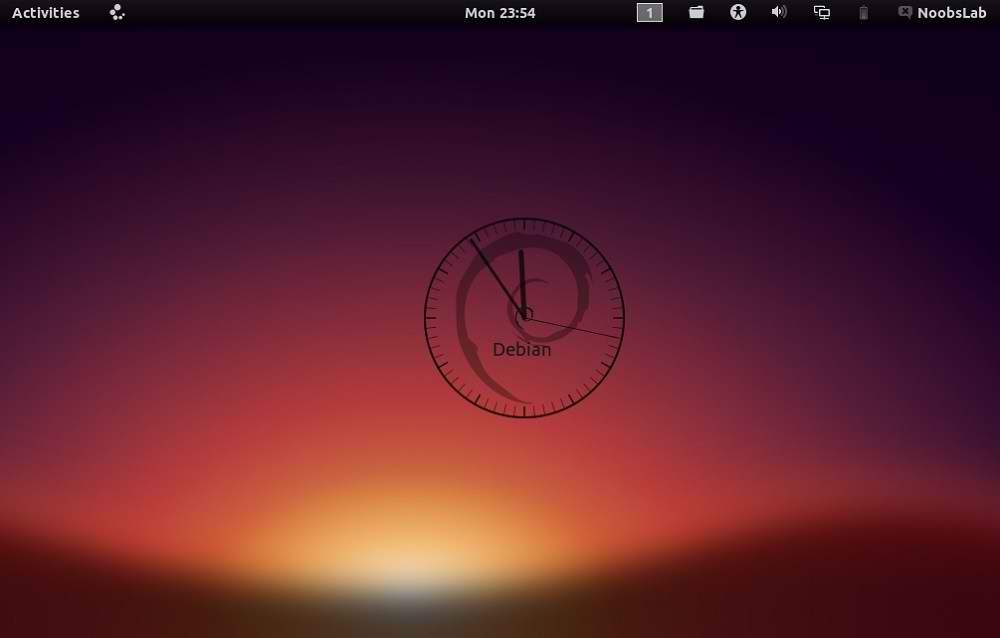
3: Debian Clock Conky
conky debian

To install Debian-clock-conky in Ubuntu/Mint open Terminal (Press Ctrl+Alt+T) and copy the following commands in the Terminal:
>> For (Gnome Shell, Cinnamon)
  • cd && wget -O debian-noobslab-gs.zip http://goo.gl/St6y2
  • unzip debian-noobslab-gs.zip && rm debian-noobslab-gs.zip
>> For (Unity, Gnome Classic, Mate, and Others)
  • cd && wget -O debian-noobslab-u.zip http://goo.gl/X3ro2
  • unzip debian-noobslab-u.zip && rm debian-noobslab-u.zip

4: Linux Mint Clock Conky
conky mint

To install Linux-Mint-clock-conky in Ubuntu/Mint open Terminal (Press Ctrl+Alt+T) and copy the following commands in the Terminal:
>> For (Gnome Shell, Cinnamon)
  • cd && wget -O mint-noobslab-gs.zip http://goo.gl/fHhTv
  • unzip mint-noobslab-gs.zip && rm mint-noobslab-gs.zip
>> For (Unity, Gnome Classic, Mate, and Others)
  • cd && wget -O mint-noobslab-u.zip http://goo.gl/G1rBO
  • unzip mint-noobslab-u.zip && rm mint-noobslab-u.zip

5: Fedora Clock Conky
fedora conky

To install Fedora-clock-conky in Ubuntu/Mint open Terminal (Press Ctrl+Alt+T) and copy the following commands in the Terminal:
>> For (Gnome Shell, Cinnamon)
  • cd && wget -O fedora-noobslab-gs.zip http://goo.gl/Sskvl
  • unzip fedora-noobslab-gs.zip && rm fedora-noobslab-gs.zip
>> For (Unity, Gnome Classic, Mate, and Others)
  • cd && wget -O fedora-noobslab-u.zip http://goo.gl/C3ZHl
  • unzip fedora-noobslab-u.zip && rm fedora-noobslab-u.zip

6: Arch Clock Conky
arch conky clock

To install Arch-clock-conky in Ubuntu/Mint open Terminal (Press Ctrl+Alt+T) and copy the following commands in the Terminal:
>> For (Gnome Shell, Cinnamon)
  • cd && wget -O arch-noobslab-gs.zip http://goo.gl/Zx6Bj
  • unzip arch-noobslab-gs.zip && rm arch-noobslab-gs.zip
>> For (Unity, Gnome Classic, Mate, and Others)
  • cd && wget -O arch-noobslab-u.zip http://goo.gl/xmD9T
  • unzip arch-noobslab-u.zip && rm arch-noobslab-u.zip

7: Gentoo Clock Conky
conky gentoo

To install Gentoo-clock-conky in Ubuntu/Mint open Terminal (Press Ctrl+Alt+T) and copy the following commands in the Terminal:
>> For (Gnome Shell, Cinnamon)
  • cd && wget -O gentoo-noobslab-gs.zip http://goo.gl/GluyG
  • unzip gentoo-noobslab-gs.zip && rm gentoo-noobslab-gs.zip
>> For (Unity, Gnome Classic, Mate, and Others)
  • cd && wget -O gentoo-noobslab-u.zip http://goo.gl/3S2wu
  • unzip gentoo-noobslab-u.zip && rm gentoo-noobslab-u.zip

8: openSUSE Clock Conky
opensuse conky

To install openSUSE-clock-conky in Ubuntu/Mint open Terminal (Press Ctrl+Alt+T) and copy the following commands in the Terminal:
>> For (Gnome Shell, Cinnamon)
  • cd && wget -O opensuse-noobslab-gs.zip http://goo.gl/HwdQn
  • unzip opensuse-noobslab-gs.zip && rm opensuse-noobslab-gs.zip
>> For (Unity, Gnome Classic, Mate, and Others)
  • cd && wget -O opensuse-noobslab-u.zip http://goo.gl/C2jmr
  • unzip opensuse-noobslab-u.zip && rm opensuse-noobslab-u.zip

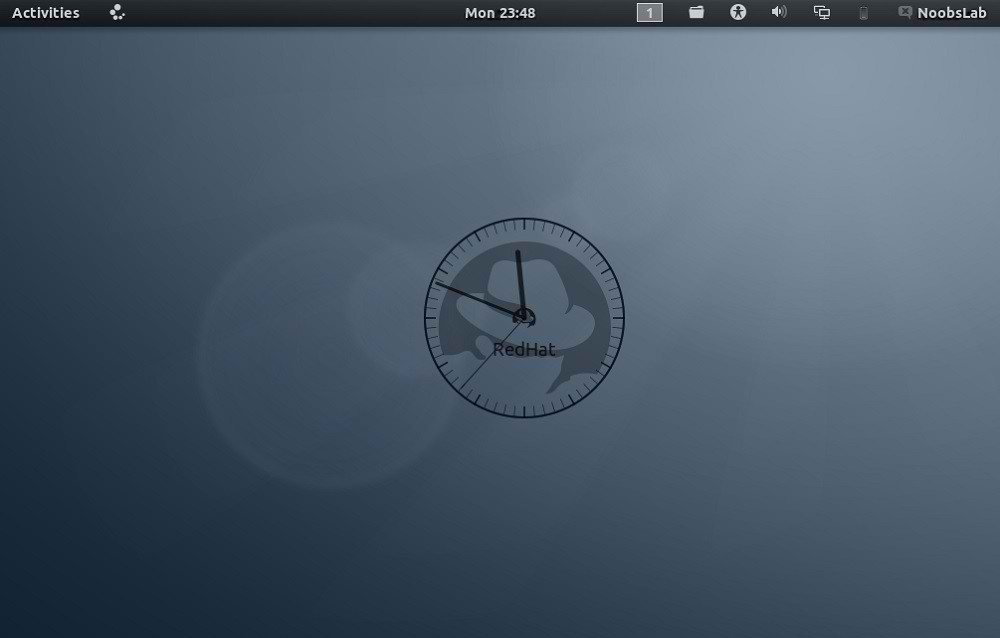
9: RedHat Clock Conky
conky redhat

To install RedHat-clock-conky in Ubuntu/Mint open Terminal (Press Ctrl+Alt+T) and copy the following commands in the Terminal:
>> For (Gnome Shell, Cinnamon)
  • cd && wget -O redhat-noobslab-gs.zip http://goo.gl/5blN8
  • unzip redhat-noobslab-gs.zip && rm redhat-noobslab-gs.zip
>> For (Unity, Gnome Classic, Mate, and Others)
  • cd && wget -O redhat-noobslab-u.zip http://goo.gl/ETQ77
  • unzip redhat-noobslab-u.zip && rm redhat-noobslab-u.zip
That's it, Enjoy

Source: noobslab

SparkyLinux 2.1


Paweł Pijanowski has announced the release of SparkyLinux 2.1, a Debian-based desktop Linux distribution with a choice of Enlightenment, LXDE, MATE or Openbox desktops user interfaces: "I am happy to announce the final versions of SparkyLinux 'Eris' 2.1 E17/LXDE, 2.1 MATE edition and update of 2.1.1 Ultra edition. The ISO images provide bug fixes, updates and new features. All new images of SparkyLinux 'Eris' have been synchronised between themselves and all packages upgraded from Debian testing repository as of 2013-03-15. The new live system provides: Linux kernel 3.2.39; minor bugs fixes; live system on USB stick fixes; full system installation on USB stick; new set of wallpapers. The live system's user name is 'live', password 'live'." Here is the brief release announcement with a screenshot. Download: sparkylinux-2.1-eris-x86_64.iso (1,583MB, MD5), sparkylinux-2.1-eris-x86_64-mate.iso (1,526MB, MD5), sparkylinux-2.1.1-eris-x86_64-ultra.iso (1,289MB, MD5).